/contrib/famzah

Enthusiasm never stops


Leave a comment

Achieving Zero-Downtime PHP-FPM Restarts and Atomic Updates

The Challenge with PHP-FPM Restarts

PHP-FPM (FastCGI Process Manager) is a powerful solution for managing PHP processes, but it poses challenges when updating PHP applications or configurations without impacting active requests. A key setting in PHP-FPM is process_control_timeout, which dictates how long the master process waits for a child to finish before forcefully terminating it on graceful restart. If a slow child lingers, incoming requests queue up, causing delays for the duration of the timeout. This delay can lead to significant downtime, especially for high-traffic applications.

The Solution: Zero-Downtime Restarts and Atomic Deployments

These challenges are addressed through a proof-of-concept designed to enable zero-downtime PHP-FPM restarts and atomic source code updates, ensuring seamless service continuity. Key components of the solution include:

  1. Redundant PHP-FPM Pools with Replicas:
    • PHP-FPM instances are managed in redundant pools with at least two replicas.
    • While one replica restarts, the other remains active, ensuring no downtime.
  2. Load Balancer Management:
    • A lightweight load balancer dynamically toggles traffic between replicas during restarts, making the switch invisible to users.
  3. Atomic Code Deployment:
    • Instead of directly using the “release” symlink as the PHP-FPM working directory, the release target is mounted in an isolated user namespace before starting the PHP-FPM master processes.
    • This ensures that changes to the symlink location can be made immediately for new deployments, while running PHP-FPM masters continue to use their isolated view of the release directory until they are restarted at a convenient time.

Important Considerations

  • Static Content and Atomicity:
    • In this setup, Apache serves static content (files not ending in “.php") directly by following the “release” symlink. This means that updates to the “release” symlink immediately impact Apache-served static files, diverging from the atomic deployment of PHP sources.
    • To achieve true atomic deployment of both static content and PHP files, the setup must be reworked. This could involve putting both PHP and static file serving behind a single backend and managing traffic between two such backends in the same way that traffic is currently managed between PHP-FPM backends.
  • Temporary Capacity Reduction:
    • During the restart of one replica (PHP-FPM master), only half of the capacity is available. This capacity reduction should be considered in the context of the expected traffic load during deployments or restarts.
  • Increased Memory Usage:
    • Running two (or more) identical PHP-FPM masters introduces higher memory consumption, as each master maintains its own independent OPcache. This redundancy ensures reliability and atomicity but comes at the cost of increased resource usage.

Demo, documentation and source code

The full code and setup guide are available on GitHub. Contributions and feedback are welcome!


Leave a comment

Troubleshooting Zigbee Network Stability and Device Connectivity | Raspberry Pi + ConBee

I have been running a Zigbee network with 20 Aqara & IKEA devices for almost two years now. The coordinator is a Raspberry Pi 400 server with a ConBee II USB dongle. It worked more or less flawlessly with very few issues until recently. I had to reboot the coordinator server in order to migrate its root file system from an SD card to a USB-connected SSD drive.

Once I rebooted the coordinator server, almost half of the devices couldn’t reconnect to the network. I upgraded the Zigbee2MQTT daemon, which bridges Zigbee to MQTT events but this didn’t help. A few more restarts didn’t help either. There are plenty of comments on the Internet that the Zigbee USB dongles aren’t stable and some users suggested that the USB port of the Raspberry Pi may be to blame, because it couldn’t supply enough (stable) power. This made sense and I purchased an active USB 3.0 hub with external power supply, which is especially designed for power hungry USB devices like HDDs, etc. Once I plugged in the ConBee II USB dongle into the active powered USB 3.0 hub, my Zigbee network started working again flawlessly!

There was only one more minor issue. While the network was incomplete I tried to remove and then re-pair an Aqara sensor, which didn’t work. This is something that other people are experiencing, too. Even after the Zigbee network was stable again, I couldn’t re-pair the sensor. I brought it close to the coordinator, the LED of the sensor was blinking as expected during re-pair but nothing was registered by the coordinator. Finally, I suspected that the battery of the sensor was too weak and couldn’t provide enough power for the re-pairing interview between the sensor and the coordinator. Once I replaced the battery, the re-pairing worked flawlessly on the first attempt. The LED was also blinking much stronger now. To be honest, the Zigbee2MQTT web interface had been showing the battery at 0% for a long time., but since the sensor was communicating events successfully, I didn’t pay attention to this indicator. I have a few more sensors with a 0% battery report but they all are still communicating events successfully.


Leave a comment

Guide PC210 vs. FLIR C5 thermal camera

Today I received my Guide PC210 thermal camera which is half the price of FLIR C5 so I was really curious to make a quick test to compare them.

To be honest I was about to purchase a UNI-T UTi260B camera but it wasn’t immediately available in Europe. The comparison of Eleshop.eu between those two affordable thermal cameras listed PC210 as a winner and the review at EEVblog was also positive.

In summary, I believe that PC210 is an excellent alternative to FLIR C5.

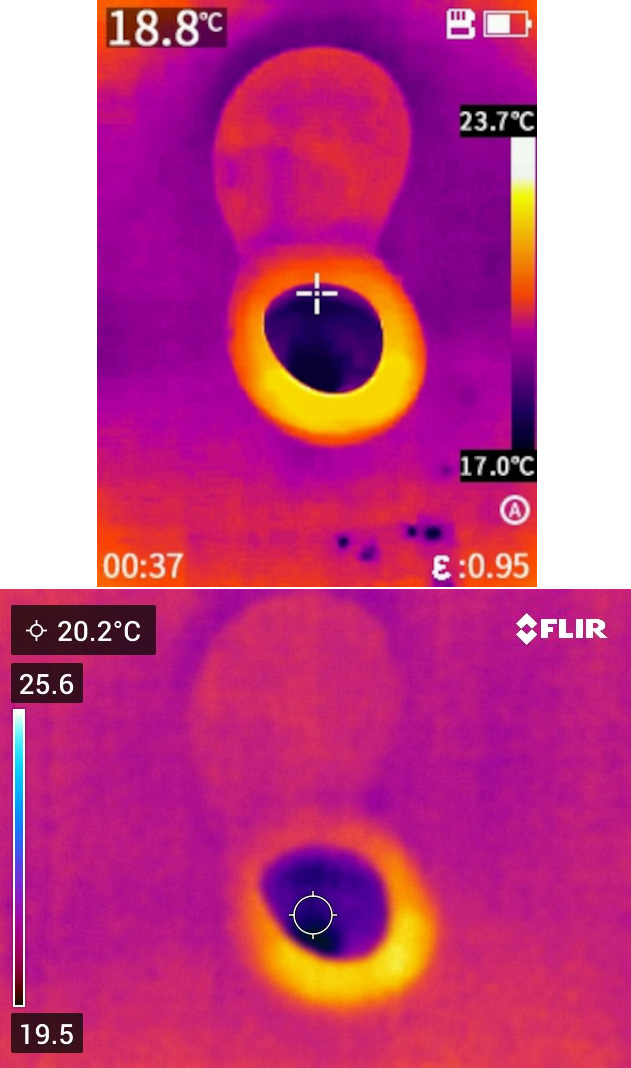
Here is an image taken by both cameras in a bathroom in complete darkness:

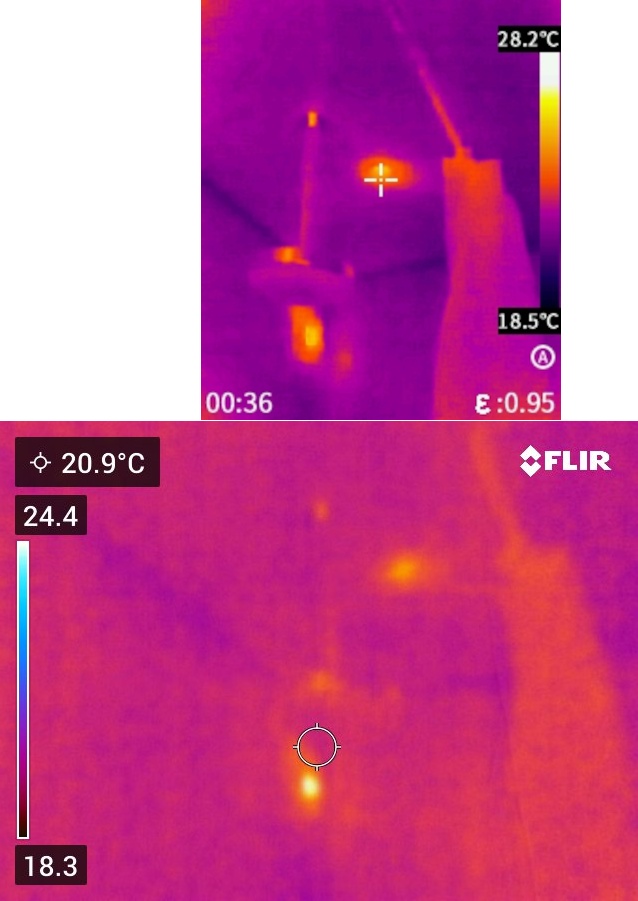
Here is another one in complete darkness:

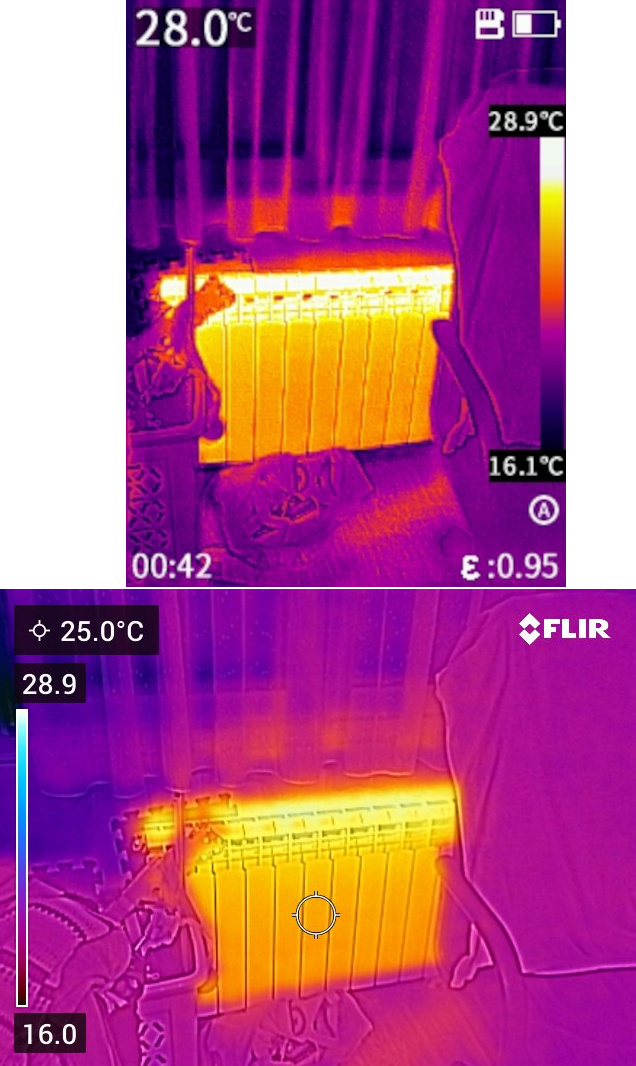
Here is an image taken at night in a room with the lights on:

As a beginner in thermal imaging, having experimented with both cameras for a couple of minutes, my conclusions are:

  • The PC210, with its higher infrared resolution of 256×192 pixels, captures more thermal details compared to the FLIR C5, which has a 60% lower IR resolution of 160×120 pixels.
  • FLIR C5 does a better job at mixing the visible light details to thermal images using their patented MSX® technology.
  • The PC210 has a better refresh rate (25 Hz) compared to FLIR C5 (approximately 9 Hz), which makes the PC210 feel a lot smoother for real-time observation of a room, for example. Also PC210 boots up really quickly.