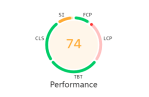
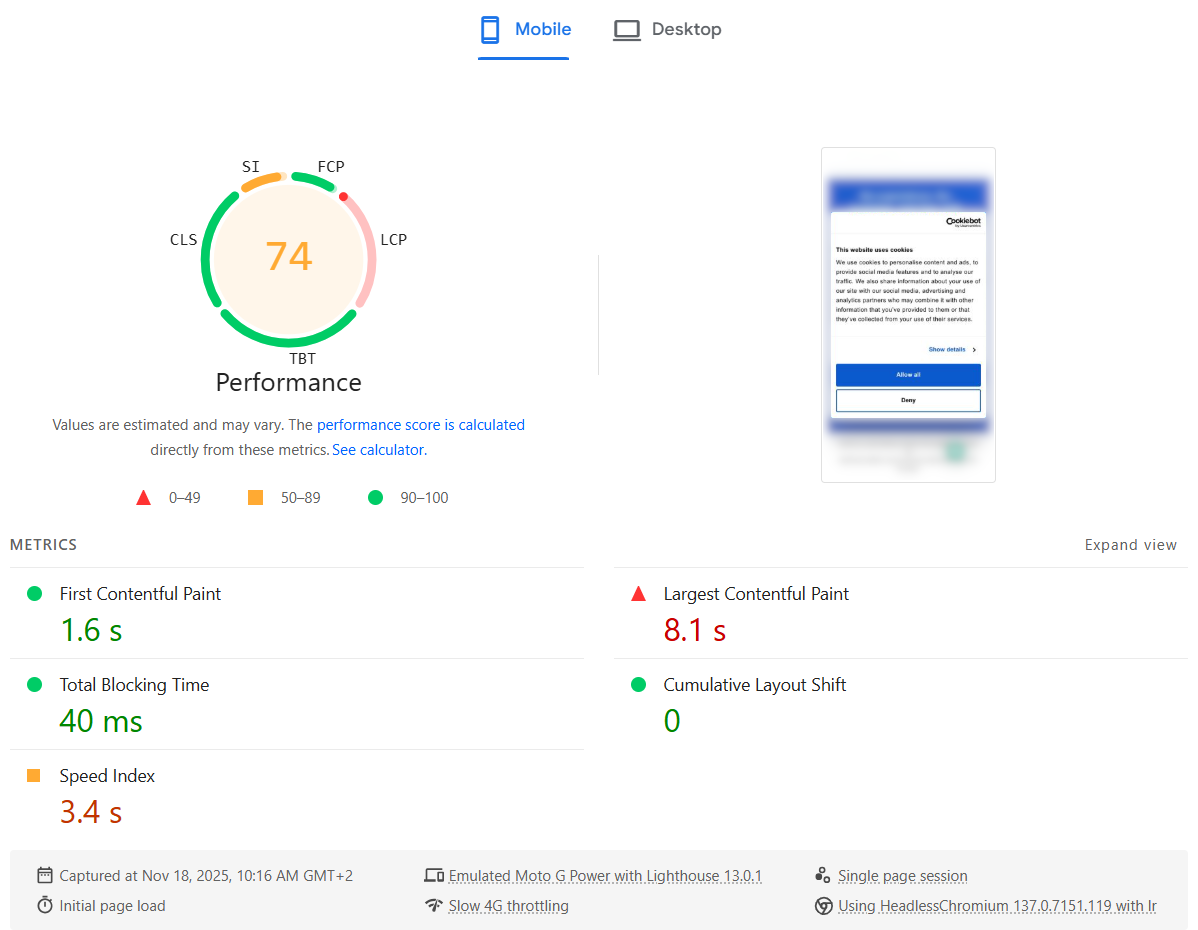
Recently we added Cookiebot to our corporate website for better GDPR and privacy compliance. Immediately after that, the PageSpeed Insights Performance score for Mobile dropped from Good (green) to Needs Improvement (orange). The Desktop score was not affected at all.
Digging into the details, the Largest Contentful Paint (LCP) metric was suddenly marked as Poor (red).
The strange part: in reality, the website still felt just as fast as before — including the Cookiebot banner. Everything appeared quickly, and users wouldn’t notice any slowdown. It felt like Lighthouse was “wrong”: it was measuring something that didn’t match the actual user experience.
Here is what the PageSpeed Insights test showed:
Why it only happens on mobile
My theory:
- The mobile viewport is smaller, so the Cookiebot consent dialog text block occupies a big portion of the screen.
- That makes the Cookiebot banner the largest element in the viewport, so it becomes the LCP candidate.
- In the Lighthouse mobile test, CPU is heavily throttled, so Cookiebot’s JavaScript (plus other third-party scripts) takes much longer to parse, execute and finish.
- As a result, LCP is reported as very slow — even though visually the page looks complete very quickly.
In other words, the metric blames LCP on the Cookiebot dialog, but this doesn’t reflect what real users see.
The fix: make the Cookiebot dialog smaller
To fix this, we need to make sure the Cookiebot dialog is no longer the largest element in the viewport. That means shrinking its visual footprint, especially on mobile.
The main changes are:
- Remove the Cookiebot logo banner
- Use smaller fonts and buttons
- Reduce the overall dialog width/height, particularly on small screens
You can apply all of this with a bit of custom CSS. Here is the CSS I used:
https://gist.github.com/famzah/c9f6d58256c6c5ddf8fdb88ac59cb963
After adding it, test the site with different devices and viewport sizes, including Desktop, Tablet and Mobile, to ensure the dialog still looks good and remains accessible.
Results
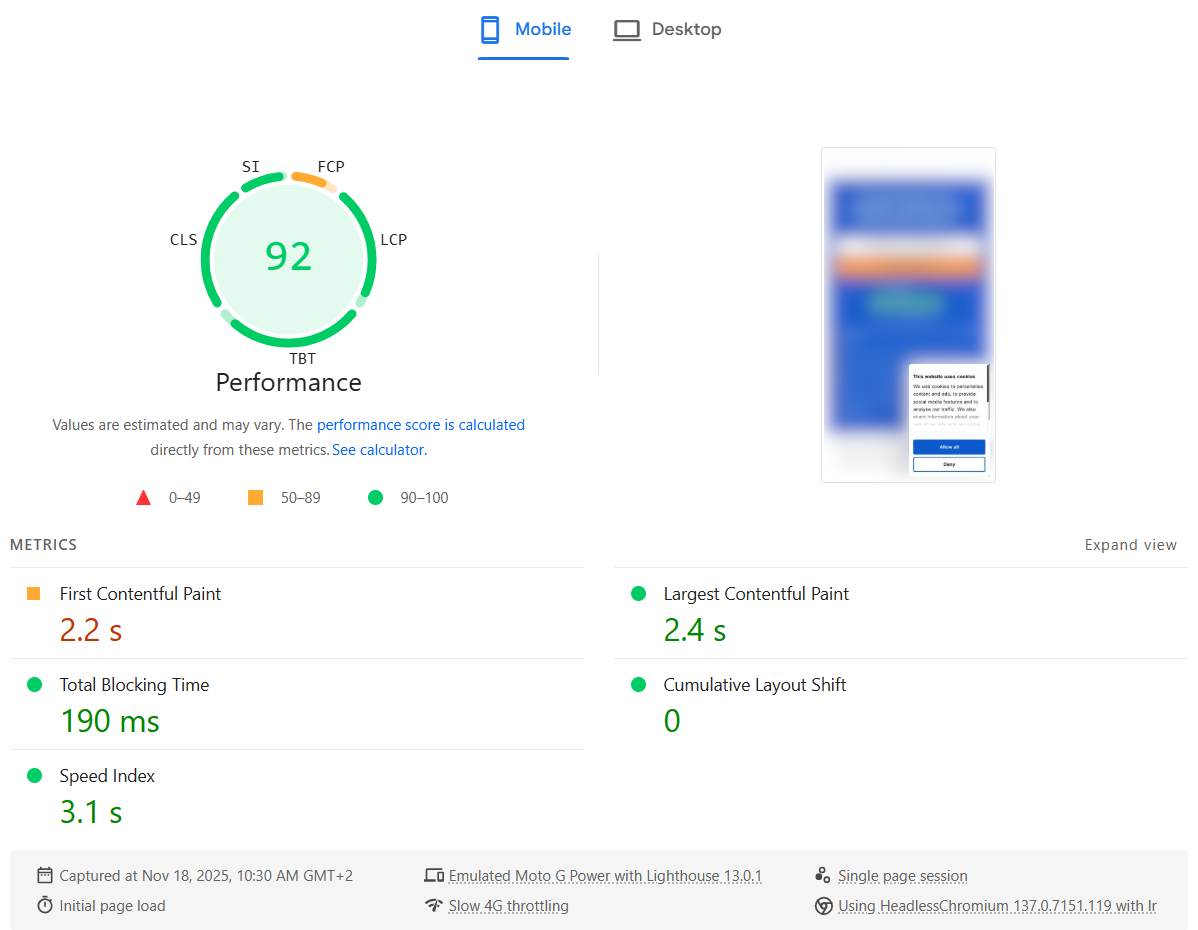
After applying the CSS, the PageSpeed Insights report improved immediately: the LCP metric went back to a healthy value and the overall Mobile Performance score returned to green.
Here is what the PageSpeed Insights test showed after the fix:
So if Cookiebot is tanking your LCP score on mobile, try shrinking the consent dialog — you may be able to fix your Core Web Vital without changing anything else in your frontend.

 /contrib/famzah