Here is how a list in the original Contempt theme looks like:
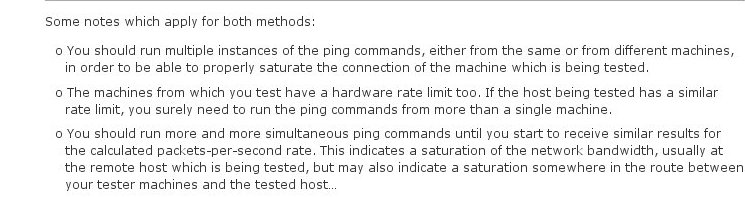
Contempt HTML list, original
And here is how a designer fellow helped me change it:
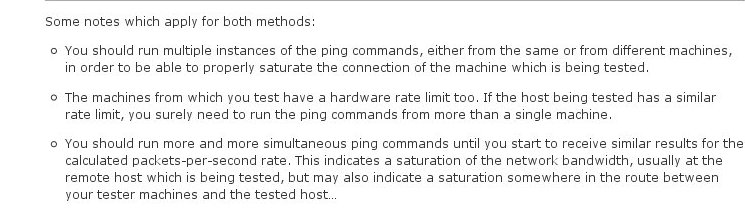
Contempt HTML list, modified
The differences are as follows:
- The indentation of the non-first lines in the list paragraph are aligned with the first line.
- The list marker is not the symbol “o” but the original circle symbol provided by browsers.
- The spacing between list paragraphs is a bit bigger, in order to improve the readability.
If you like the modified version better, you need to navigate to Appearance->Edit CSS and add the following CSS code there:
.entry ul li:before,#sidebar ul ul li:before {
	content:"";
}

body .entry ul {
	list-style-position:outside!important;
	list-style-type:circle!important;
	text-indent:0!important;
}

body .entry ul li {
	margin-bottom:13px;
}
You can also read my other post if you like to Make WordPress.com Contempt theme layout wider.

 /contrib/famzah