/contrib/famzah

Enthusiasm never stops


2 Comments

Auto-flush both STDOUT and STDERR in Perl

Q: Why Perl warn() or other STDERR output is not shown/logged/saved/flushed into my log file?
A: You may have encountered the well-known feature of stream buffering which is enabled by default.

An excerpt from the perlvar documentation says that “…STDOUT will typically be line buffered if output is to the terminal and block buffered otherwise”. Thus it is always buffered, also for STDERR.

Usually people remember to set STDOUT as auto-flush, but you should enable this for STDERR as well, or else your messages to STDERR may not appear in your log file immediately, if you are redirecting STDERR to a file.

The following piece of code sets an auto-flush for both STDOUT and STDERR:

select(STDERR);
$| = 1;
select(STDOUT); # default
$| = 1;

The select() function and the $| variable are built-in for Perl and require no additional libraries to be included.

Alternatively, you can also use IO::Handle to achieve the same result:

use IO::Handle;
STDERR->autoflush(1);
STDOUT->autoflush(1);

I never realized why stream buffering for both STDOUT and STDERR is enabled by default for most scripting languages… But that’s just me.


References:


14 Comments

Review of the Super Micro BMC IPMI card for the X8DTL motherboards

This review applies for the BMC IPMI card which is installed on the following Super Micro X8DTL Xeon motherboards:

A colleague and I tested this on a X8DTL-iF motherboard using the latest IPMI firmware for “IPMI_8DTL”, revision 1.29.

My overall opinion about this IPMI software is that it doesn’t cover the stability and functional expectations for a mission-critial management interface. The previous AOC-SIM1U(+) IPMI cards for the Super Micro X7DVL-E motherboard were much, much better and usable.

So here a list with the issues, and possible workarounds for them:

  • The “Launch Console” button of the “Console Redirection” feature does nothing under Java 1.6.20 on Windows.
    Resolution: Review the other article about Super Micro IPMI Console + Java.
  • They do not use compression for the video traffic, or it’s very weak!!! For the Debian install menu @4 FPS you need about 13 MBit/s bandwidth for a single KVM console. If you are not on a LAN with the IPMI device, prepare for noticeable lag. If you are administering the IPMI device overseas, you are in trouble… Tested on Linux, Windows and Mac.
    Partial resolution: In the remote console Java applet, navigate to Options -> Preferences -> Display, and then select “Low Color (Lighter Traffic)”. This makes the traffic noticeably less. This was reported by zImage.
  • The CTRL and/or ALT keys sometimes remain pressed down, even if you haven’t used them. If you are in a Debian installer menu, this will get you quite a lot of trouble. If you are on the LILO console, you may think that the keyboard doesn’t work at all.
    Resolution: Press CTRL and then ALT shortly on your keyboard.
  • We managed to break the VNC port of the KVM console just by trying to connect to it with a VNC client on port 5900. Beware if you are exposing your IPMI device on a public IP address.
    Resolution: Re-power the whole server to fix the IPMI device. Set up ACLs for the network access to your IPMI devices. Update: As Simon commented below, you can reset the IPMI device via the web interface: Maintenance -> Unit Reset. This won’t reboot your server.
  • If you leave the network KVM console opened idle on Windows, it suddenly disconnects.
  • Changing the zoom options for the KVM console renders the screen unusable.
  • Some keys repeat even if you are on a LAN. This happens not very often though.
  • There is a slight lag for the keyboard response, even on a LAN.
  • The web interface is full of AJAX scripts. This makes it unusable on Safari. They are trying to impress System Administrators with AJAX on the mission-critical management interfaces?? Furthermore, the AJAX error-handling is terrible – if there is a connection problem and you initiated some action, the AJAX happily returns “Configuration saved”, and actually nothing gets done… Nevertheless, the web interface works in general.
  • Too much JavaScript – you cannot submit forms by hitting Enter.
    Resolution: You need to click on the “Submit” button or navigate to it via TAB and then press Enter.
  • The firmware update from 1.02 to 1.29 erased the previous IPMI config. The firmware flashing process was done via the web interface of the IPMI card.
    Resolution: First upgrade firmware, then configure the IPMI IP and other settings.
  • While configuring the IPMI via BIOS with a locally attached keyboard and monitor, there is a noticeable lag while you type.

It’s worth mentioning that the ideas they tried to implement are good – they have screen capturing feature and all the other IPMI features we had in the previous releases. Only the implementation is weak.

The OS’es we tested with are:

  • Kubuntu Karmic 32bit, Java 6.
  • Mac OS X Leopard 10.5, Java 5.
  • Windows Vista Home Premium SP1 32bit, Java 6.

So in general, this new IPMI software is a big disappointment and makes me very insecure if I can depend on this management device in a critical moment. It does work somehow, but this is not what I expect from a production-ready product.


Mar/14: I contacted Super Micro Support at their official email address (support@Supermicro.com) but got no reply. The reason I wrote them was to attract their attention to the reported bugs, and asked them if they want me to not disclose them for a while.
Mar/15: I contacted their European Support Team (support@supermicro.nl), as my colleagues advised because they are more responsible. Here is what they replied: “I have forwarded your mail to our software engineer and PM to check it. We will get back to you later“.
Later in March: They didn’t write me back any more but have released several new firmwares since then – v1.31 03/09 and v1.34 04/07. Here are the changelogs (you have to click “show source” to see them), I haven’t tried the newest firmware yet:

ATEN Firmware v1.34 04/07:
1. Fix "can't read power from ME" (ipmitool xxx raw 0x30 0xe2 00 00)
2. Fix X8SIT HDD Smart Error string spacing: Disk0 Smart failure (issue# 22816). X8SIU: Set NMI output to low when power fail.
2. H8DGU: Set GPIO34 output to low when firmware initializes (for APML, requested by hardware)
3. H8SGL, H8DGG & H8DGT: Set GPIO34 output to high when firmware initializes (for APML, requested by hardware)
4. X8DTN+(boardID 0x060f), X8DTU-LN4F+(boardID 0x060c), X8DTU-6TF(boardID 0x060d): Modify CPU temperature to display as low/medium/high (issue #22721); Modify DDR TM2 and upper threshold to 65 degrees. (issue #22795)
1. X7SPA: Add sensor +3.3VSB and VBAT to sync with BIOS sensor items (issue# 20992)
2. X7SPA, X8DTN+, H8SGL, H8DGU, H8DGG, H8DGT: Add deassertion event for chassis intrusion (issue# 22250)
3. Modify power supply status to use GPIO for X8DTN+ (issue# 22490)

ATEN Firmware v1.31 03/15:
1. Add X8DTU-6TF sensor reading (new board)
2. H8DGU & H8SGL: Fix CPU temperature does not change (issue# 20868 & 22477)
3. Fix the issue iKVM record video and screen capture does not work under MAC OS.
4. Fix the issue preferences cannot be saved in full screen mode under MAC OS.
5. Fix the issue Japanese web is no longer working.

ATEN Firmware v1.31 03/09:
1. H8DGU & H8SGL: Fix CPU temperature does not change (issue# 20868 & 22477)
2. Fix the issue iKVM record video and screen capture does not work under MAC OS.
3. Fix the issue preferences cannot be saved in full screen mode under MAC OS.
4. Fix the issue Japanese web is no longer working.

ATEN Firmware v1.30 02/26:
1. X8SIT: Add NMI out when power fail
2. H8DGT: Add hardware monitor
3. H8DGG: Add fan control according to GPU1 and GPU2 temperature

ATEN Firmware v1.30 02/17:
1. H8DGG-QF: Add GPU temp reading and maximum fan control
2. X8DTL: Modify DIMM temp upper threshold to 85,90,95

ATEN Firmware v1.30 02/12:
1. Fix 'not able to login after flashing firmware until clear cache and reopen browser'
2. Modify IPMB to fix BMC fails during AC on/off stress test
3. Fix H8DGG sensors and H8SGL chassis intrusion
4. Fix SSL certificate issue (for X8SIL customer)

ATEN Firmware v1.29 02/05:
1. Modify H8SGL and H8DGU sensor threshold: +1.1V, CPU DIMM, and Chassis Intrusion (IssueID=21765). Please reset IPMI to 'Factory Default' on Maintenance webpage after flashing firmware.
2. Fix system shows 'BMC fails' on X8DTL (IssueID=21861)

ATEN Firmware v1.29 02/02:
1. Java KVM supports MAC OS (require java 1.6 update14+ plugin) (Please clear the cache and reopen your browser if you're not able to login after flashing firmware)
2. Support recording video as a standard video format


1 Comment

Super Micro chassis rails by Repon rock!

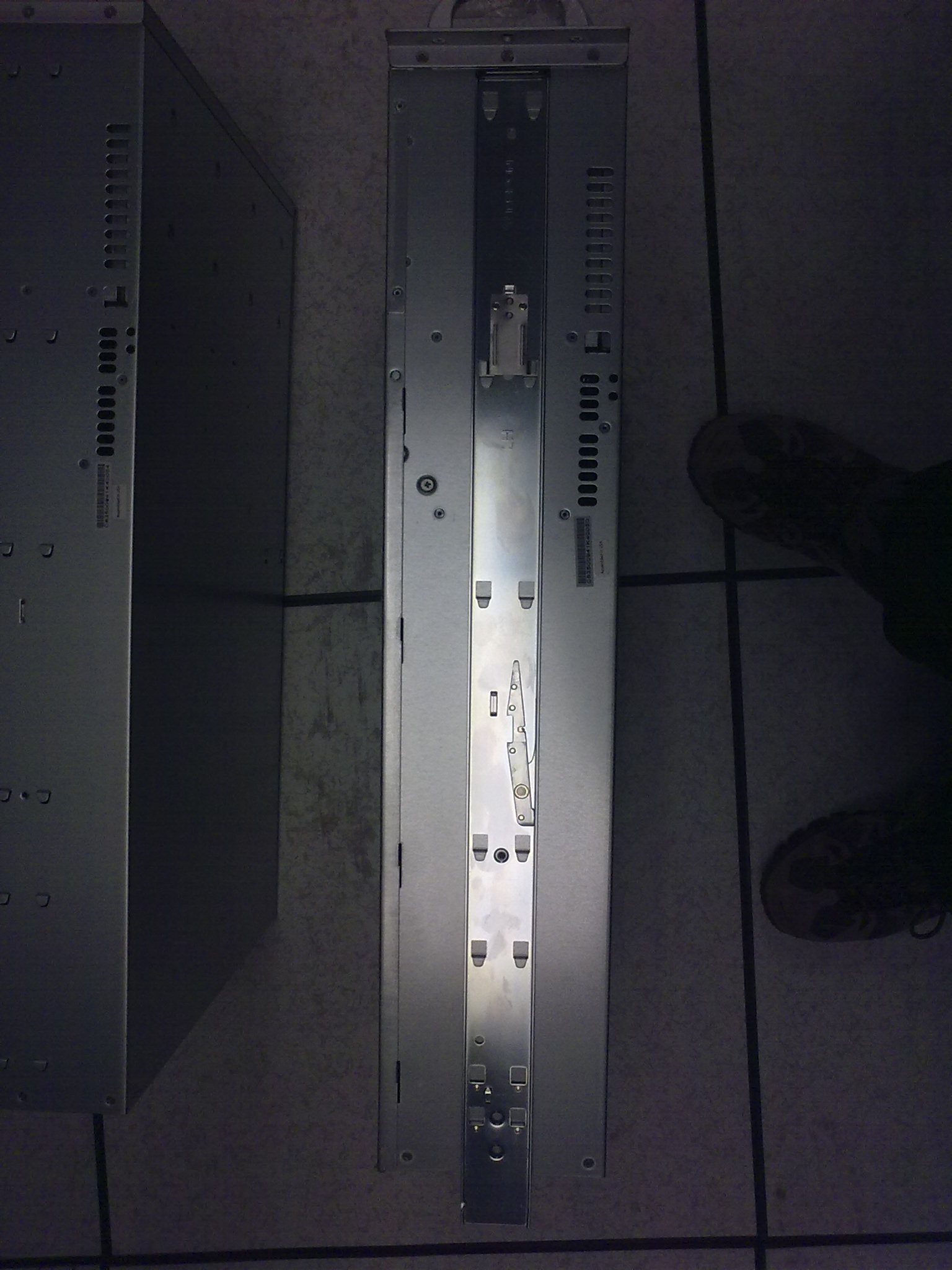
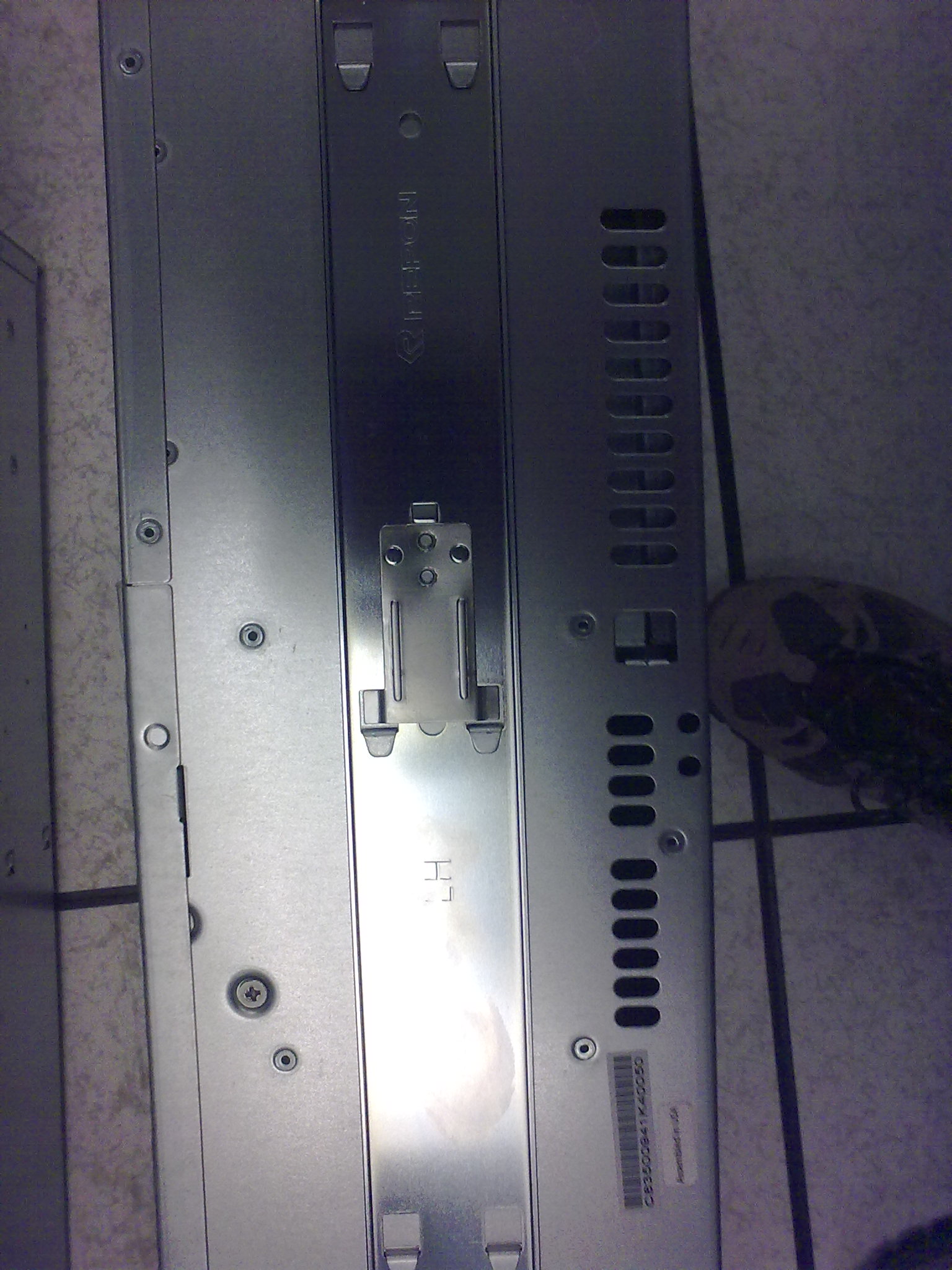
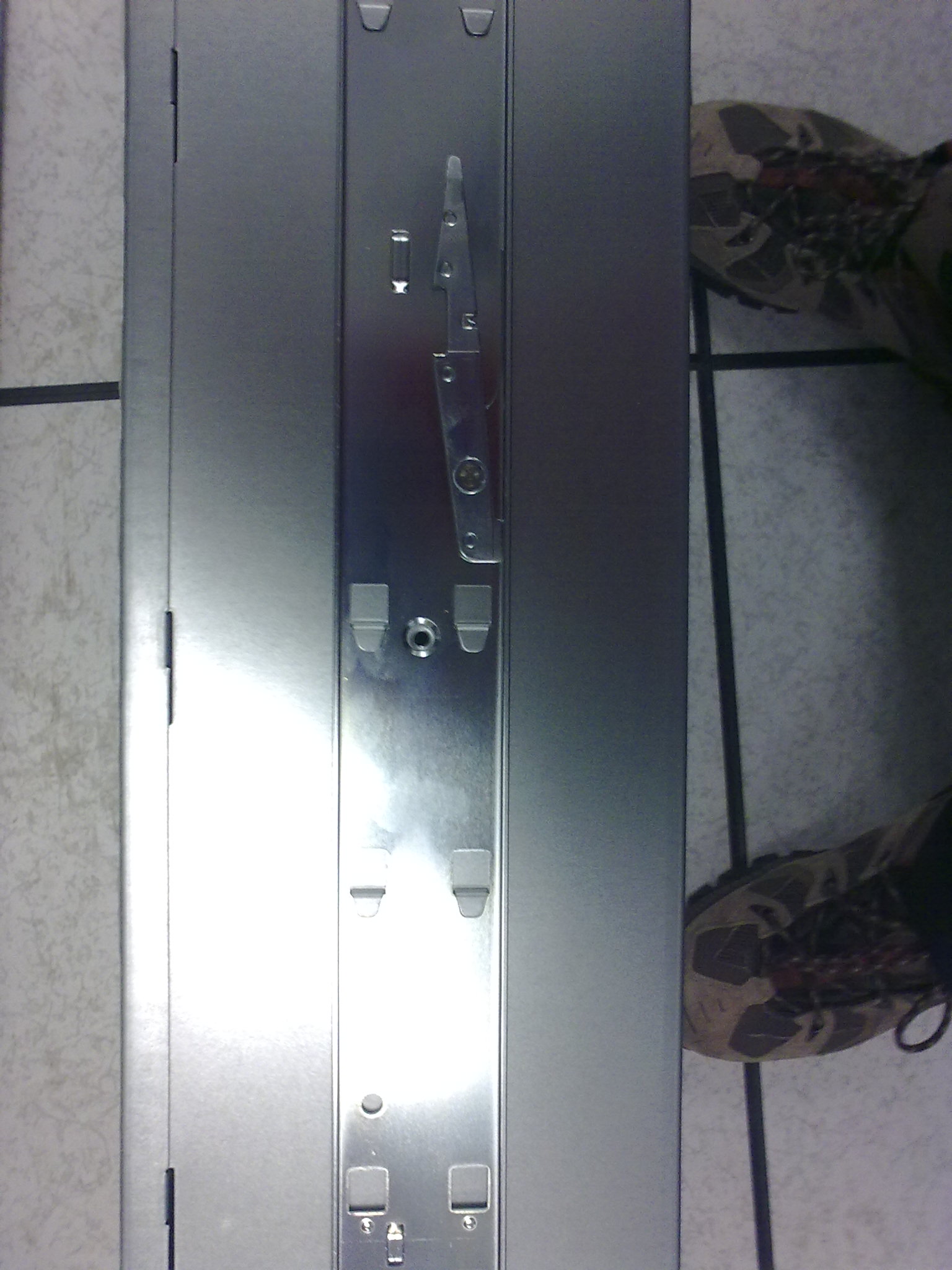
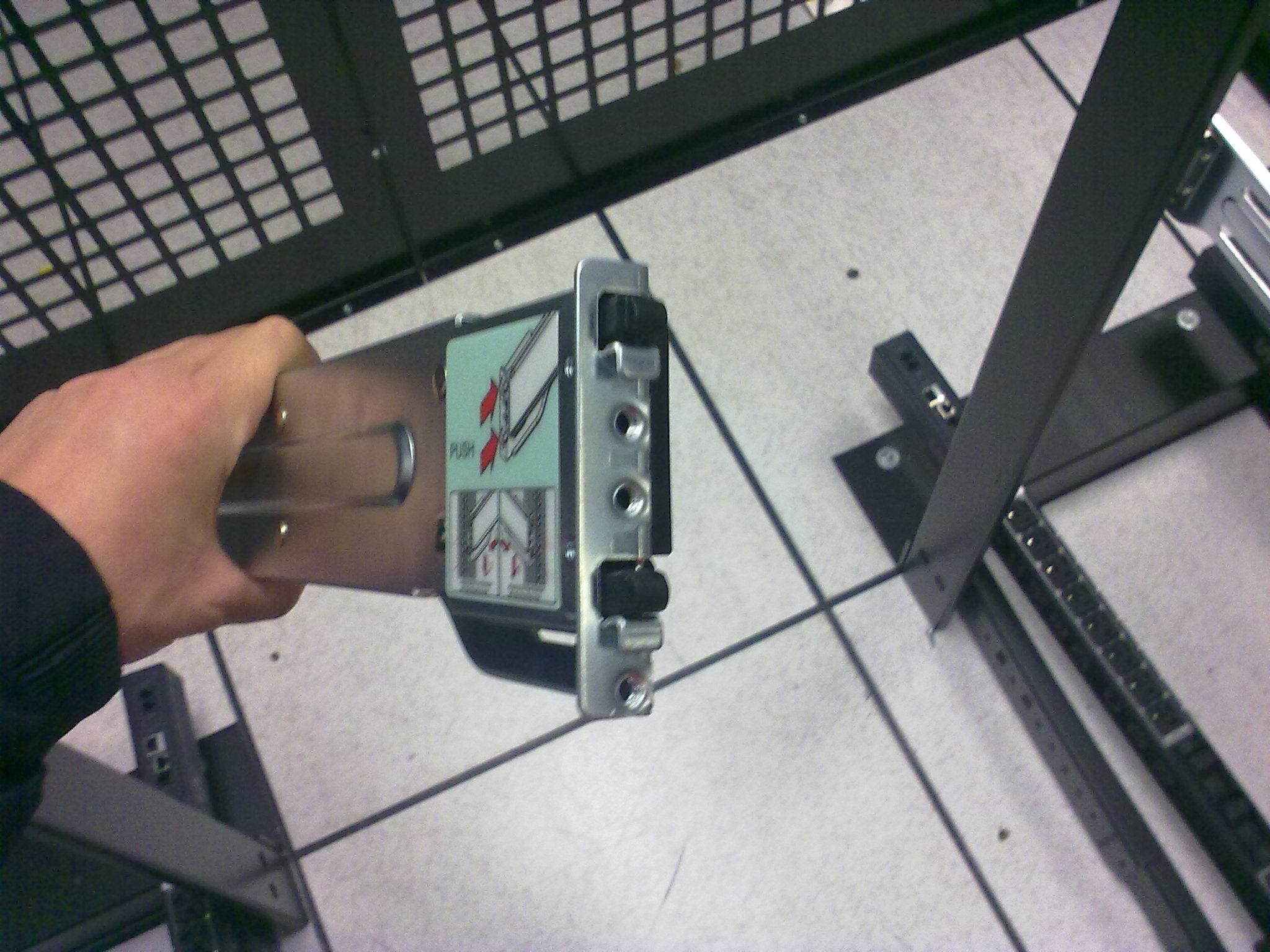
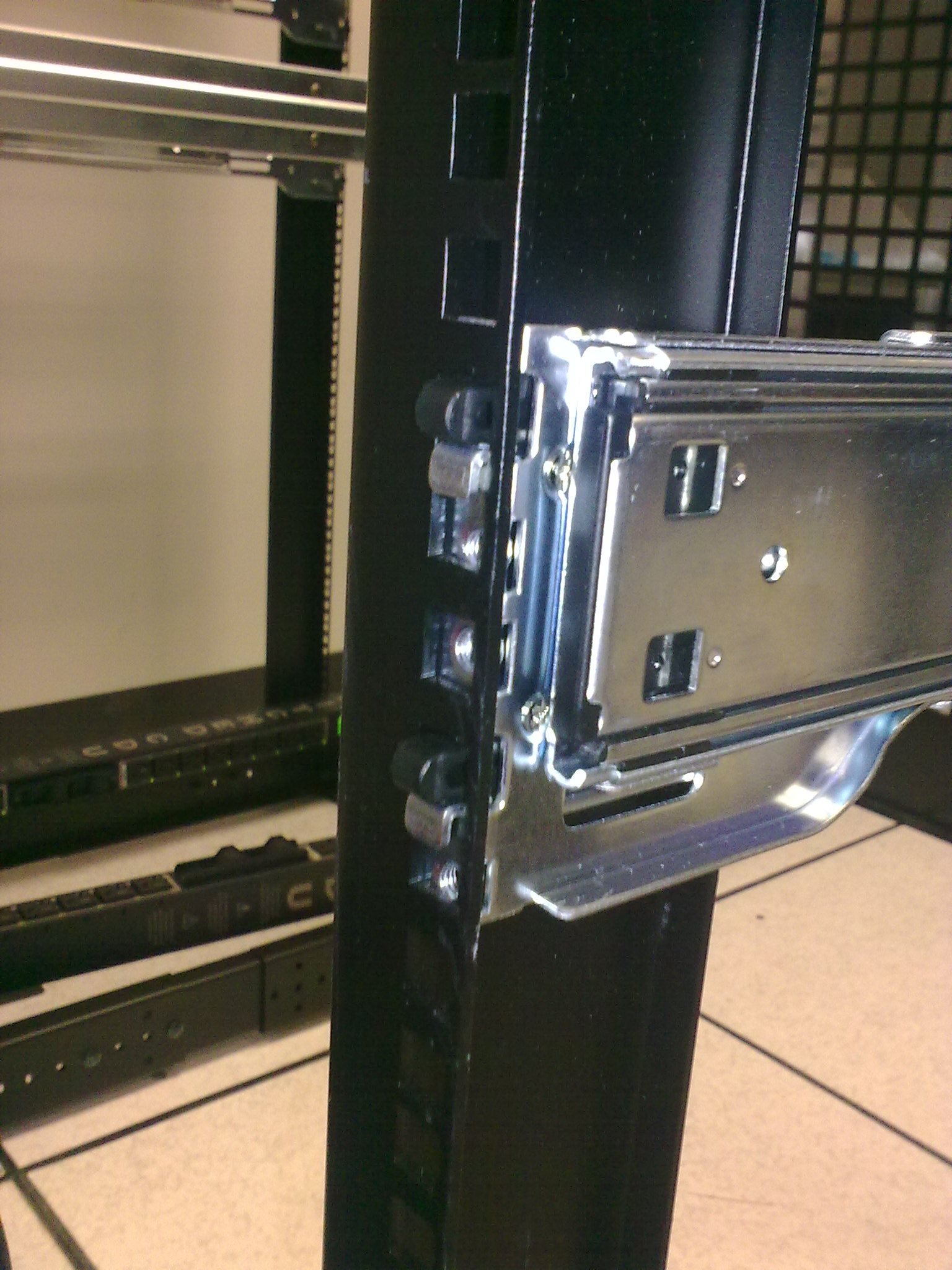
I just wanted to share my excitement about the new Super Micro chassis. I’m very pleased with how the rails of the SC835 and the SC846 cases are extremely easily mounted. By the way, the rails were made by Repon, at least this is what the logo on the rails says.

It’s nothing revolutionary, and Dell chassis are having this for a longer time I think, but Super Micro caught up and kept me a very happy customer of theirs. Actually the company I work for is a customer of theirs, I’m just a System Administrator who happens to be installing a whole bunch of new Super Micro servers.

Bottom line is that the new rails mount in the rack without the usage of any tools or rack bolts/nuts. You can mount them with your bare hands. What’s the big deal with this? You spend almost no time in mounting the rails. Good work Super Micro, and Repon!

The mounting process follows in images. Sorry for the bad photo quality.


1 Comment

Firefox crashes with “terminate called after throwing an instance of ‘std::bad_alloc'”

If you are here, you probably are as desperate as I was. Though your system has plenty of memory, Firefox keeps crashing with the following error message:

terminate called after throwing an instance of 'std::bad_alloc'
  what():  std::bad_alloc
Aborted

You can see the above error either by starting “firefox” in your console terminal manually, or by reviewing the file “~/.xsession-errors”, if you are running KDE.

I ran Firefox several times in debug mode via “gdb” and every time the debug output lead me to the wrong direction. Here is a sample full backtrace output:

[New Thread 0xadbfeb70 (LWP 3763)]
[Thread 0xadbfeb70 (LWP 3763) exited]
[New Thread 0xadbfeb70 (LWP 3764)]
[Thread 0xadbfeb70 (LWP 3764) exited]
[New Thread 0xadbfeb70 (LWP 3765)]
[New Thread 0xae3ffb70 (LWP 3766)]
[Thread 0xadbfeb70 (LWP 3765) exited]
terminate called after throwing an instance of 'std::bad_alloc'
  what():  std::bad_alloc

Program received signal SIGABRT, Aborted.
0x00227422 in ?? ()
(gdb) bt full
#0  0x00227422 in ?? ()
No symbol table info available.
#1  0x002524d1 in *__GI_raise (sig=6) at ../nptl/sysdeps/unix/sysv/linux/raise.c:64
        resultvar = <value optimized out>
        pid = 3575796
        selftid = 3708
#2  0x00255932 in *__GI_abort () at abort.c:92
        act = {__sigaction_handler = {sa_handler = 0x7a3ff4, sa_sigaction = 0x7a3ff4}, sa_mask = {__val = {3221183748, 3086869600, 3221183704, 7933961,
              3221183688, 1154680, 3221183676, 8013772, 0, 3086866344, 5, 0, 1, 3221183640, 0, 3221183716, 1356543, 3577255, 3221183636, 3035204, 1,
              3086869160, 0, 3221183748, 3221183676, 3221183688, 0, 4294967295, 1359583, 3086869160, 3221183680, 4294967295}}, sa_flags = 8011764,
          sa_restorer = 0x14b2ff}
        sigs = {__val = {32, 0 <repeats 31 times>}}
#3  0x001cc4df in __gnu_cxx::__verbose_terminate_handler () at ../../../../src/libstdc++-v3/libsupc++/vterminate.cc:93
        terminating = true
        t = <value optimized out>
#4  0x001ca415 in __cxxabiv1::__terminate (handler=0x1cc390 <__gnu_cxx::__verbose_terminate_handler()>)
    at ../../../../src/libstdc++-v3/libsupc++/eh_terminate.cc:38
No locals.
#5  0x001ca452 in std::terminate () at ../../../../src/libstdc++-v3/libsupc++/eh_terminate.cc:48
No locals.
#6  0x001ca591 in __cxa_throw (obj=0xad2f9700, tinfo=0x1f97fc, dest=0x1caaf0 <~bad_alloc>) at ../../../../src/libstdc++-v3/libsupc++/eh_throw.cc:83
        header = <value optimized out>
#7  0x001cac0f in operator new (sz=2) at ../../../../src/libstdc++-v3/libsupc++/new_op.cc:58
        handler = <value optimized out>
        p = <value optimized out>
#8  0x001caced in operator new[] (sz=2) at ../../../../src/libstdc++-v3/libsupc++/new_opv.cc:32
No locals.
#9  0x012ead5c in gfxSkipChars::TakeFrom (this=0xbfff5f1c, aSkipCharsBuilder=0xbfff6f60) at ../../dist/include/thebes/gfxSkipChars.h:152
No locals.
#10 0x012e48fe in BuildTextRunsScanner::BuildTextRunForFrames (this=0xbfff8320, aTextBuffer=0xbfff7280) at nsTextFrameThebes.cpp:1713
        anySmallcapsStyle = 0
        textBreakPoints = {<nsTArray<int>> = {<nsTArray_base> = {static sEmptyHdr = {mLength = 0, mCapacity = 0, mIsAutoArray = 0},
              mHdr = 0xbfff7150}, <No data fields>},
          mAutoBuf = "\001\000\000\000\062\000\000\200\000\000\000\000\220z\377\277\354x\377\277\065\000\000\000\066\000\000\000\000\000\000\000\b\000\000\000\260q\377\277\254q\377\277\220q\377\277\000\202\066\260\030V\241\265\b@q\267\066\000\000\000\240\321\377\263\270\321\377\263\000\000\000\000\b\000\000\000\001\000\000\000\000\000\000\000\b\000\000\000\b\000\000\000\000\000\000\000\304i\005\255\b\000\000\000$\301 \255\364\017\274\001\240\321\377\263\b\000\000\000\254y\377\277\201E\225\001\354x\377\277\240\321\377\263\000\000\000\000\036\352\216\001\000\000\000\000\200g/\255\220z\377\277xr\377\277\256\371\247\001\000\000\000\000\220z\377\277(;\260\001\000\000\000\000\354x\377\277\254r\377\277\364\017\274\001tr\377\277\002\000\000\000<r\377\277"}
        currentTransformedTextOffset = 1
        finalUserData = 0xad2037cc
        userDataToDestroy = 0x0
        nextBreakIndex = 2904569804
        firstFrame = 0xad2037cc
        builder = {mBuffer = {<nsTArray<unsigned char>> = {<nsTArray_base> = {static sEmptyHdr = {mLength = 0, mCapacity = 0, mIsAutoArray = 0},
                mHdr = 0xbfff6f64}, <No data fields>},
            mAutoBuf = "\002\000\000\000\000\001\000\200\001\001\377\277\223\200\223\001\027m\271\000#\000\000\000\031\201\271\000\364\017\274\001<\000\000\000\000\000\000\000\274p\377\277\347\063\225\001\027m\271\000\324\302\355\267\031\201\271\000\256^\005\b@\300\355\267\240\246z\267\004\000\000\000\364\257\005\b\000@\006\255\000\000\000\255\fp\377\277\064u\005\b@\300\355\267\000\000\002\000\320o\377\277\000\000\000\000\062\000\000\200\000\000\000\000[]\005\b\225\351\216\001\240D\006\255\374\301\355\267 \000\000\000\217\350\216\001$p\377\277\002\000\000\000\274p\377\277\225\351\216\001\f\203\377\277\370\202\377\277,p\377\277\000\000\000\000\f\203\377\277\370\202\377\277lp\377\277\000\000\000\000\370\202\377\277\004\000\000\000\002\000\000\000\364\017\274\001,\203\377\277\000\000\000\000lp\377\277_\256.\001,\203\377\277\000\000\000\000\000\000\000\000\225\351\216\001\004", '\000' <repeats 11 times>"\217, \350\216\001\240\201\37---Type <return> to continue, or q <return> to quit---

After much try-and-error attempts, and also thoughts if my laptop’s memory wasn’t faulty or if the shared libraries on my disk weren’t somehow corrupted, I was finally able to track down the cause of this abnormal behavior:

BUG: The Security Device which the Siemens HiPath SIcurity Card API provided. You can read here why I use it.

The problem started somewhere around Firefox version 3.5.5 and later. If the security device dongle/card is not plugged in your computer, Firefox crashes at random pages.

The resolution
Create a second Firefox profile and install the Security Device only there, leaving the default Firefox profile with no Security Device capabilities. Thus if you want to use your online banking, you would need to close Firefox and then start it using the second profile. It’s not that bad, if you are a personal user like me who performs bank transactions relatively rarely.

The MozillaZine Knowledge Base has an excellent article about Firefox Profile Manager.


Leave a comment

“dd” sequential write performance tests on a raw block device may be incorrect

…if you use the inappropriate bytes size (bs) option. See the man page of dd for details on this option.

Hard disks have a typical block size of 512 bytes. LVM on the other hand creates its block devices with a block size of 4096 bytes. So it’s easy to get confused – even if you know that disks should be tested with blocks of 512 bytes, you shouldn’t test LVM block devices with a 512-bytes but with a 4096-bytes block size.

What happens if you make a write performance test by writing directly on the raw block device and you use the wrong bytes size (bs) option?

If you look at the “iostat” statistics, they will show lots of read requests too, when you are only writing. This is not what is expected when you do only writing.
The problem comes by the fact that when you are not using the proper block size for the raw block device, instead of writing whole blocks, you are writing partial blocks. This is however physically not possible – the block device can only write one whole block at a time. In order to update the data in only a part of a block, this block needs to be read back first, then modified with the new partial data in memory and finally written back as a whole block.

The total performance drop is about 3 times on the systems I tested. I’ve tested this on some hard disks and on an Areca RAID-6 volume.

So what’s the lesson here?

When you do sequential write performance tests with “dd” directly on the raw block device, make sure that you use the proper bytes size option, and verify that during the tests you see only write requests in the “iostat” statistics.

Physical hard disk example:

# Here is a bad example for a hard disk device
dd if=/dev/zero of=/dev/sdb1 bs=256 count=5000000

# Here is the proper usage, because /dev/sda physical block size is 512 bytes
dd if=/dev/zero of=/dev/sdb1 bs=512 count=5000000 

LVM block device example:

# Another bad example, this time for an LVM block device
dd if=/dev/zero of=/dev/sdb-vol/test bs=512 count=1000000

# Here is the proper usage, because the LVM block size is 4096 bytes
dd if=/dev/zero of=/dev/sdb-vol/test bs=4k count=1000000

Understanding the “iostat” output during a “dd” test:

Here is what “iostat” displays when you are not using the proper bytes size option (lots of read “r/s” and “rsec/s” requests):

Device:         rrqm/s   wrqm/s     r/s     w/s   rsec/s   wsec/s avgrq-sz avgqu-sz   await  svctm  %util
sdb               0.00  5867.40 3573.20   46.40 28585.60 47310.40 20.97   110.38   30.61   0.28 100.00
sdb1              0.00     0.00    0.00    0.00     0.00     0.00 0.00     0.00    0.00   0.00   0.00
sdb2              0.00  5867.40 3572.80   46.40 28582.40 47310.40 20.97   110.38   30.61   0.28 100.00
dm-2              0.00     0.00 3572.80 5913.80 28582.40 47310.40 8.00 13850.92 1465.43   0.11 100.00 

Here is what it should display (no read “r/s” or “rsec/s” requests at all):

Device:         rrqm/s   wrqm/s     r/s     w/s   rsec/s   wsec/s avgrq-sz avgqu-sz   await  svctm  %util
sdb               0.00 16510.00    0.00  128.60     0.00 131686.40 1024.00   107.82  840.32   7.78 100.00
sdb1              0.00     0.00    0.00    0.00     0.00     0.00 0.00     0.00    0.00   0.00   0.00
sdb2              0.00 16510.00    0.00  128.60     0.00 131686.40 1024.00   107.82  840.32   7.78 100.00
dm-2              0.00     0.00    0.00 16640.00     0.00 133120.00 8.00 13674.86  823.73   0.06 100.00 

How to be safe?

Fortunately, file systems are smart enough and pay attention to the block size of the block devices they were mounted on. So if you do a “dd” write performance test and write to a file, you should be fine. Though in this case there are some other complications like journaling, commit intervals, barriers, mount options, etc.


1 Comment

ICDSoft 30% discount coupon for new web hosting accounts

Today I recall a very cool feature of the reseller program of ICDSoft. Resellers are entitled to the right of giving promotional discounted prices to new customers. Here you go:

No need to thank me, you are welcome… 🙂


1 Comment

Webhosting in Deutschland und Europa

Ich bin tätig im Feld der Internet-Dienste seit 1999 und Freunde fragen mich ab und zu, um ihnen eine Webhosting Firma anzubieten, die zuverlässig und billig ist. Die Begriffe “zuverlässig” und “billig” kommen nicht leicht zusammen, deswegen sage ich ihnen immer, dass die billigsten Lösungen oft etwas fehlen. Zur selben Zeit hat man immer ein Finanzinteresse und Budget, deswegen erweist sich der Preis als ein wichtiger Faktor. Kurz gesagt, ich bevorzuge die Firmen mit mittleren Preisen und guter Reputation.

Hier ist meine bisherige positive Erfahrung mit Deutschen Hosting Firmen:

  1. ICDSoft Hosting Deutschland:
    • Vorteile: Tätig seit 1999 mit sehr guten Referenzen von Kunden weltweit, ausgezeichnete Hardware, 15-Minuten-Reaktion des Supports auf technischen Anfragen, tägliche Backups, gute Rabatte für Reseller und Kunden mit mehreren Kontos.
    • Nachteile: Das erste Jahr ist 20% teurer (30% Rabattmöglichkeiten hier). Doch gibt es eine bedingungslose 100-Tage Geld-Zurück-Garantie, deswegen können Sie sich risikofrei in den anspruchsvollen Diensten selbst überzeugen, oder enttäuschen. 🙂
  2. 1&1 Deutschland für VPS und Dedicated Server:
    • Vorteile: Am Markt seit vielen Jahren, sehr berühmt, bietet alle Typen von Hosting-Diensten. Ich habe selbst einige Male ihre VPS/Dedicated Server Plans benutzt und bin sehr zufrieden mit den Preisen und der Qualität. Support ist verhältnismäßig gut. Software und Hardware sind perfekt.
    • Nachteile: 1&1 Deutschland arbeitet nur mit deutschen Bürgern. Falls Sie aus Bulgarien zum Beispiel sind, dann sind Sie nicht erlaubt, ein Konto bei 1&1 Deutschland zu haben. Webhosting ist zu billig.

Beide Firmen verfügen über Rechenzentren nicht nur in Europa, aber auch in den USA – ICDSoft, 1&1. ICDSoft hat Rechenzentren auch in Hong Kong und Bulgarien, wobei 1&1 – in Großbritannien, Frankreich, Österreich und Spanien.


Natürlich habe ich nicht nur positive, aber auch negative Erfahrung mit Deutschen Hosting Firmen. Ihre Namen nenne ich nicht, aber beschreibe kurz die Probleme:

  • Firma A: Ich hatte einen Domain-Namen damit; Support antwortete in 3-4 Tage und sehr oft nur als wir am Telefon gesprochen haben.
  • Firma B: Ich hatte ein VPS damit; zu viele Kunden auf einem einzelnen Server, zu alte System-Software, nur telefonisches Support.
  • Firma C: Ich habe ein Audit der Sicherheit gemacht, da ein Freund mich sein Konto gegeben hat; in zwei Stunden war ich “root” am Server…

Bitte merken Sie zwei Dinge hier – diese Ratschläge reflektieren meine eigene (begrenzte) Erfahrung mit der Deutschen Markt von Hosting-Diensten. Ich bin ein Angestellter von ICDSoft seit 2003 und das hat ein Einfluss auf meine Meinung – von einer Seite bin ich ein bisschen befangen, aus der anderen Seite siehe ich die Prozesse in der Firma aus einer inneren Perspektive und bin 100% sicher im alles, was ich gesagt habe. Das hier ist meine personale Meinung.


2 Comments

Why /sys/block/dm-0/queue/scheduler exists on my Linux system?

The device-mapper (DM) traditionally didn’t have its own I/O scheduler. Then why suddenly my DM devices have such a scheduler and what does it control?


A new type of device-mapper was introduced recently in the Linux kernel 2.6.31 – the request-based device-mapper. According to the Linux Kernel Newbies changelog for 2.6.31, there is a commit which does “Prepare for request based option”.

The issue is actually not in the new request-based DM option, which is to be used only for multipath block devices. The problem is that when you create a regular LVM device on kernels 2.6.31+, the DM device itself has I/O scheduler parameters. So does the underlying block device on top of which you created the LVM. Thus we are having two I/O schedulers in the path from the LVM device to the physical storage.

According to the author of the kernel patches for the request-based DM device, Kiyoshi Ueda, for a bio-based DM device, only the underlying device’s scheduler should affect performance. This is what my tests shown too, therefore there is no discrepancy.

Let me summarize this:

  • If you are *not* using multipath block devices in your DM/LVM setup, then only the underlying device’s scheduler (i.e. “/sys/block/sda/queue/scheduler”) takes effect. This applies for the trivial LVM setup which many of us used for years.
  • If you are using a multipath DM/LVM setup, then only the DM device’s scheduler (i.e. “/sys/block/dm-0/queue/scheduler”) takes effect.

References:


Leave a comment

Changing the ISO image in a virtual CDROM drive while KVM-Qemu is running

If you run KVM with enabled monitor management console, you can do some pretty powerful internal stuff while the KVM guest is running.

In order to have a KVM-Qemu management console, you should start KVM with something like:

-monitor telnet:127.0.0.1:3010,server,nowait,ipv4

See the official documentation of Qemu for more details and also the man page of qemu-kvm (unofficial mirror).

Once you have it set up, you can then telnet to the management console and review the available commands:

famzah@famzahpc:~$ telnet localhost 3010
Trying 127.0.0.1...
Connected to localhost.
Escape character is '^]'.

QEMU 0.11.0 monitor - type 'help' for more information
(qemu) help

Changing the ISO image of a virtual CDROM drive is quite easy:

  • First review what the current status of the drives is:
    (qemu) info block
    virtio0: type=hd removable=0 file=/dev/sdb-vol/win7 ro=0 drv=host_device encrypted=0
    ide0-cd0: type=cdrom removable=1 locked=0 file=/shared/win7-eval.iso ro=0 drv=raw encrypted=0
    ide1-cd0: type=cdrom removable=1 locked=0 [not inserted]
    
  • Then change the mounted ISO image in the CDROM drive on the fly:
    (qemu) change ide1-cd0 /shared/win-virtio-drivers.iso
    
  • Double-check that the changes took effect. KVM-Qemu will not issue an error message in case something went wrong (duh!):
    (qemu) info block
    virtio0: type=hd removable=0 file=/dev/sdb-vol/win7 ro=0 drv=host_device encrypted=0
    ide0-cd0: type=cdrom removable=1 locked=0 file=/shared/win7-eval.iso ro=0 drv=raw encrypted=0
    ide1-cd0: type=cdrom removable=1 locked=0 file=/shared/win-virtio-drivers.iso ro=1 drv=raw encrypted=0
    

Use the “help” command to review the other powerful commands which you can use to tune and debug your running KVM guest (“info”, “migrate” and “system_reset” seem like interesting candidates).


11 Comments

KVM-Qemu Virtio storage and network drivers for 32-bit/64-bit Windows 7, Windows Vista, Windows XP and Windows 2000

…bundled as ISO images, so that you can easily mount and use them in a KVM guest.

UPDATE: It seems that Fedora started to provide the latest drivers bundled as an ISO. Check the official Windows VirtIO Drivers page for links.


Download locations follow:

These are static ISO images, and I’ve built them by downloading the ZIP sources dated 24.09.2009 from the official WindowsGuestDrivers KVM page and then converting them to ISO image files by using K3b.

Note that Virtio provides noticeably faster disk and network access.

Please review the official page of Virtio for sample KVM command line arguments which set up Virtio storage and network devices. You may notice that there is an (undocumented) parameter “boot=on” specified for the “-drive” option. This “boot=on” parameter is vital for the “-drive” option, or else Windows 7 won’t like your drive and won’t install on it.

Note about Virtio storage drives and the Windows 7 installer
I was able to install Windows 7 right from the start by using a Virtio storage drive within the KVM guest. At first the Windows installer didn’t see the Virtio disk at all but there is an option to install additional storage drivers. I installed the Virtio Windows drivers from the above ISO images, the Windows installer detected the Virtio storage disk properly and everything went quite smooth afterwards.


Resources: